The way video content gets made is changing fast, and not in a small, incremental way. We’re talking about a genuine shift in who can create professional-grade video, how long it takes, and what it costs.
Runway ML is at the center of that shift. What started as a research experiment at NYU has grown into a platform that filmmakers, brand teams, solo creators, and enterprise studios all rely on. And the numbers behind it, revenue, users, and valuation, are the kind that make founders pay attention.
If you’ve been thinking about building something in this space, this guide walks you through everything you need to know. How Runway works, what the market looks like, which features matter, how to actually build it step by step, what the latest tech stack looks like, how much it’ll cost, and who you’re competing with.
What Is Runway ML and How Does It Work?
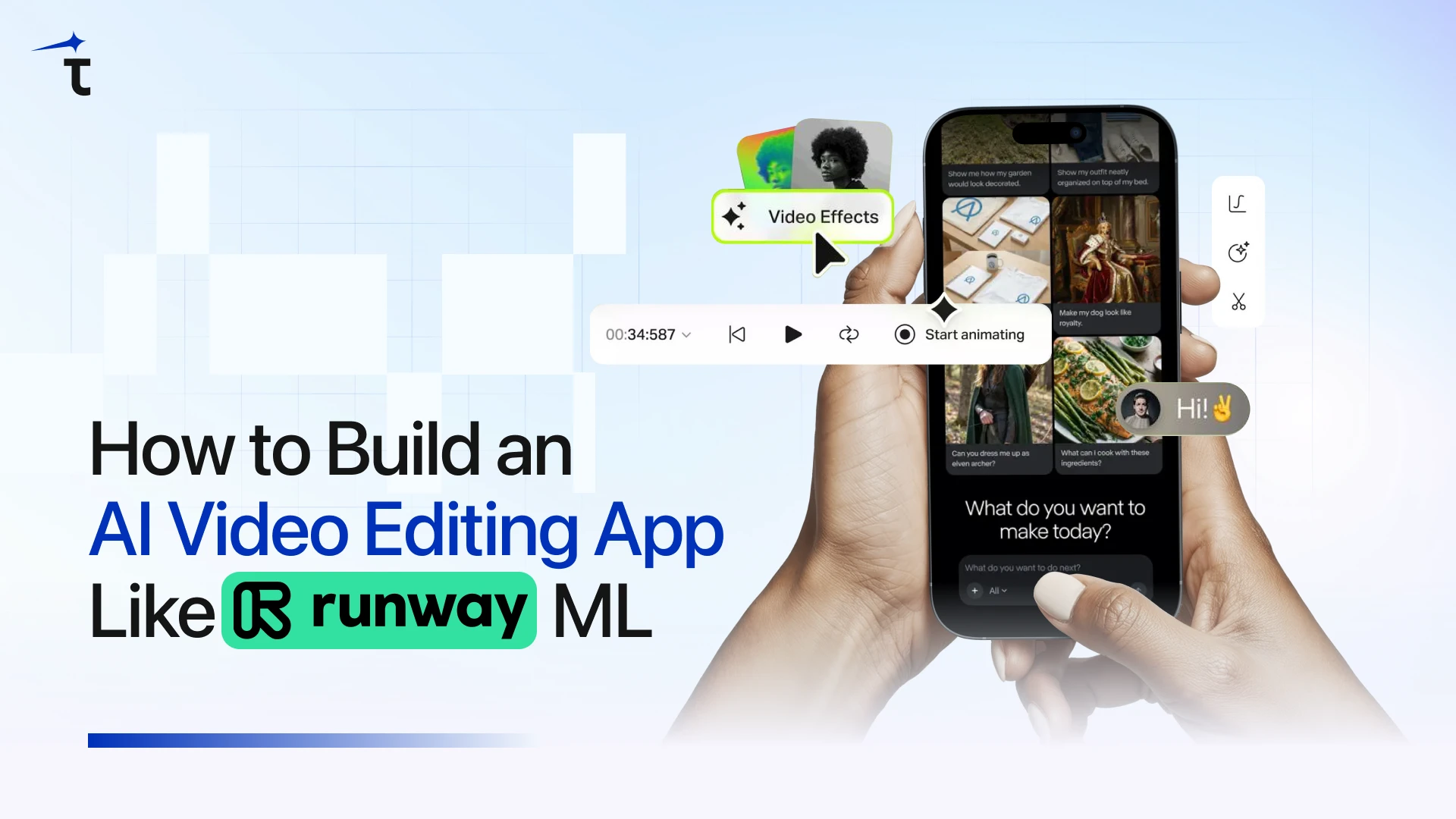
Runway ML is a cloud-based generative AI platform that lets users create, edit, and transform video through text prompts, reference images, or uploaded footage. It’s not a smarter version of Adobe Premiere. It’s an entirely different kind of tool, one where the AI isn’t assisting the edit but actually doing the creative work.
Here’s how the experience works in plain terms:
- A user uploads a video, image, or simply types what they want to create
- The system reads and processes that input, understanding objects, backgrounds, motion, and intent
- AI models generate or transform the content accordingly
- The output gets refined automatically, smoother frames, cleaner transitions, seamless edits
- The user previews and exports the finished video in their chosen format and resolution
The result is something that would’ve taken a professional editor hours to produce, delivered in minutes from a single prompt.
Runway’s model lineup has evolved through four generations, each a meaningful leap forward:
- Gen 1, edits and transforms uploaded footage using AI
- Gen 2 generates video from text prompts or reference images
- Gen 3 Alpha Turbo delivers high-resolution video from text at much faster speeds
- Gen 4 / Gen 4.5, the current flagship, maintains character and scene consistency across shots, supports native 4K output, and enables longer clips at higher quality
The Market Stats Behind Runway ML
Numbers tell a story, and in this case, the story is pretty clear: this market is growing fast, and the players getting in now are the ones who’ll define it.
The Market Is Accelerating
The AI video editing tools market was valued at $1.6 billion in 2025 and is projected to reach $9.3 billion by 2030, a CAGR of 42.19%.
Zoom out to the full AI video market and the numbers get even bigger: $11.2 billion in 2025, heading toward $71.5 billion by 2030 at 36.2% annual growth.
Already, 69% of Fortune 500 companies use AI-generated video for brand storytelling and marketing. Over 62% of marketers who use AI video tools report cutting content creation time by more than half. And AI-powered video tools are cutting production costs by up to 60% for brands that adopt them.
Key Takeaways
Before we get into the build, here are the most important things to hold onto as you go through this guide:
- The AI video editing market is growing at 42% annually. This is the early innings, not a crowded commodity space
- Runway ML has proven that a subscription + enterprise model works; the revenue data backs it up
- You don’t need to build a general-purpose tool to win; the biggest opportunities are in verticalized, focused products
- The latest tech stack (Wan 2.6, vLLM, LangGraph, Triton) is production-ready and accessible to well-resourced startup teams
- Agentic AI, where the app autonomously handles multi-step workflows, is where the next competitive wave is forming
- Development costs range from $30K for an API-based MVP to $500K+ for a full custom model product; most strong businesses start in the middle
Key Features of an AI Video Editing App Like Runway ML
Getting the features right is everything in this category. Build the right ones well, and you earn loyalty. Build the wrong ones, or build the right ones sloppily, and you’ve spent a lot of money to get ignored.
Here’s what the feature set of any serious AI video platform needs to include:
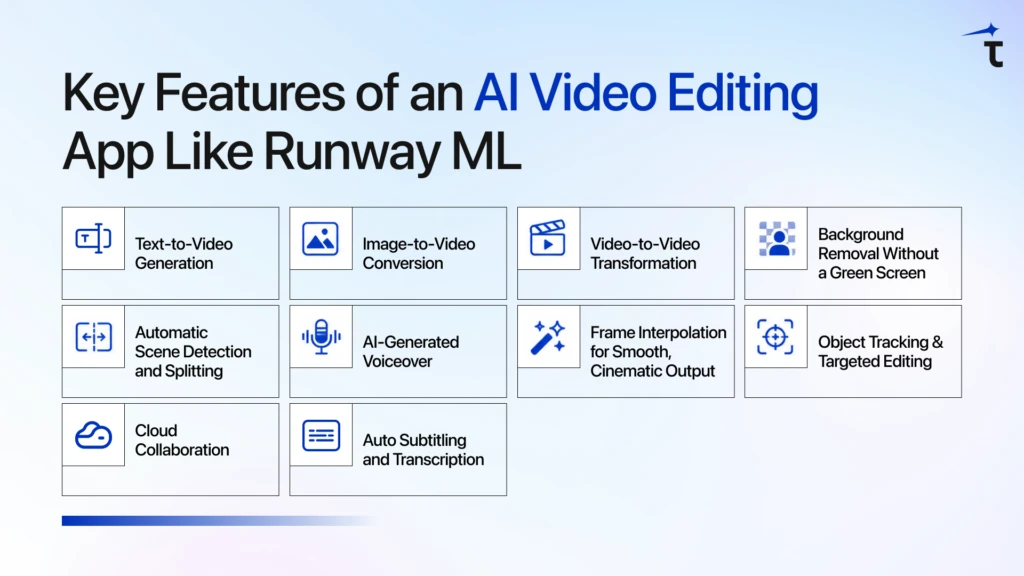
1. Text-to-Video Generation
The headline feature of the category. A user describes what they want, a scene, a mood, a specific shot, and the app generates a real video clip from it. This is what users will compare against Runway, Sora, and Kling from day one. It’s the most technically demanding feature to build well, and getting the model right is everything.
2. Image-to-Video Conversion
Animates a still photo or graphic into a moving video clip. Especially valuable for marketers and creators who have brand assets but no video production budget. Because the image provides the visual reference upfront, this is more tractable to implement than pure text-to-video.
3. Video-to-Video Transformation
Users upload existing footage and ask the AI to restyle it, with a different visual tone, new background, different lighting, and modified objects, while keeping the original composition intact. Think of it as an intelligent style transfer that understands content and structure, not just pixels and colors.
4. Background Removal Without a Green Screen
AI-powered background matting lets users cut out backgrounds cleanly from any footage, not just studio shoots. Paired with inpainting (filling or replacing specific parts of a frame), this gives creators a professional post-production capability that used to require a full VFX team and expensive equipment.
5. Automatic Scene Detection and Splitting
For long-form content, interviews, webinars, event footage, and podcasts, manually finding where scenes shift is exhausting. This feature identifies natural breakpoints and segments the footage automatically, turning hours of raw video into organized, editable clips.
6. AI-Generated Voiceover
Realistic AI voice generation that syncs naturally with video. Users can produce polished, professional-sounding content without hiring voice talent. Services like ElevenLabs and OpenAI TTS make this buildable without creating your own TTS model from scratch.
7. Frame Interpolation for Smooth, Cinematic Output
Fills in the gaps between frames to create fluid, natural-looking motion. This is the difference between an AI video that looks choppy and an AI video that looks like it was shot on a real camera. Getting this right is what separates output people actually share from output they quietly close.
8. Object Tracking and Targeted Editing
Follows a specific object, a person, product, or logo, across every frame, even as it moves. Users can resize, reposition, replace, or add effects to that object throughout the entire clip. Technically complex to build, but a premium feature that professional users specifically look for and will pay for.
9. Cloud Collaboration
Multiple users accessing and editing the same project from different locations. No massive file transfers. No version control chaos. This turns your product from a solo tool into a team tool, and enterprise pricing follows naturally.
10. Auto Subtitling and Transcription
Speech-to-text that generates accurate, timed captions automatically. This is among the most requested features for creators publishing across platforms where videos autoplay muted. Getting the accuracy and timing right is what makes this genuinely useful versus just technically present.
Step-by-Step Development Process to Build App Like Runway ML
Building an AI video app is a sequence of decisions that compound on each other. Get the early steps wrong, and you’ll rebuild things later that should’ve been right the first time.
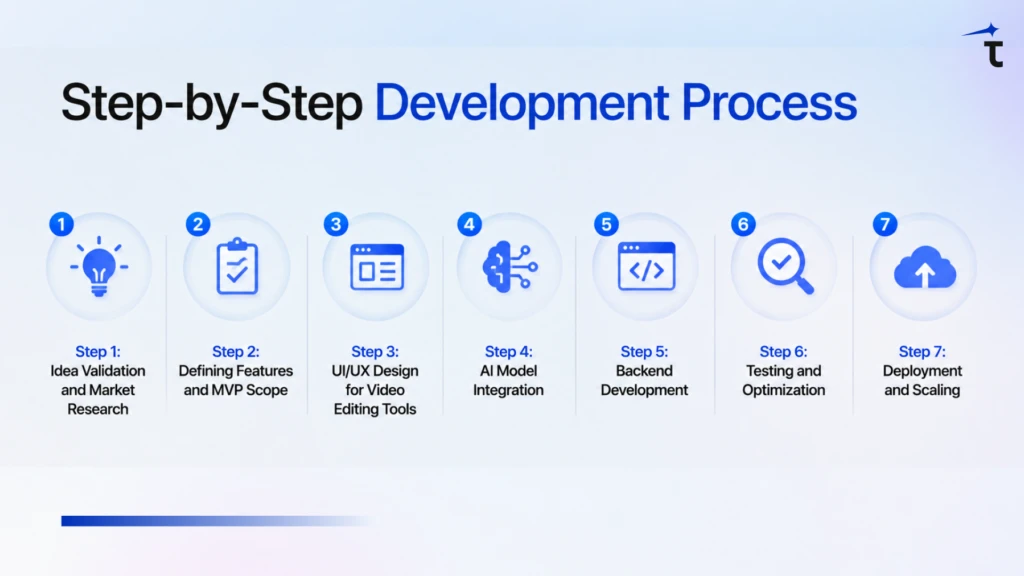
Step 1: Idea Validation and Market Research
Before writing a single spec or hiring a developer, get clear on who specifically you’re building for and whether they’ll actually pay for it.
Runway targets creative professionals and studios. Pictory targets content repurposers. Synthesia targets corporate video at scale. Pika targets short-form social creators. Every serious player has a lane. You need one too, because trying to out-Runway Runway with a general-purpose tool is not a realistic strategy for a new entrant.
Talk to the audience you want to serve. Find out what editing tasks eat the most of their time, what tools they’re currently piecing together, and what they’d genuinely pay to have solved. That conversation will shape your product far better than any feature list you write in isolation.
📖 Also worth reading: How to Choose the Right AI Development Partner
Step 2: Defining Features and MVP Scope
Once you know who you’re building for, resist every temptation to build everything at once.
Define your MVP as the smallest version of your product that delivers real value to your target user. For most AI video platforms, that means picking one or two features and making them work exceptionally well, rather than shipping ten features that all work okay.
Text-to-video generation is the highest-value starting point for most use cases. Build it, get it in front of real users, and let what you learn from them drive what comes next. A focused first version beats an overbuilt one every single time.
Step 3: UI/UX Design for Video Editing Tools
Video editing tools have some of the most demanding UX requirements of any software category. Users are working under time pressure, on complex projects, with very little patience for confusion.
A few things that matter here specifically:
Show exactly what’s happening. Generation takes time, sometimes minutes. A real progress bar with an estimated completion time keeps users engaged. A blank loading screen makes people assume something broke.
Never overwrite the original. Every AI transformation should create a new version, not replace the source file. People need to feel safe experimenting. If they’re afraid of losing their footage, they’ll never explore your features.
Help users get prompts right. Most people don’t know how to write a prompt that gets good results from an AI model. Build in style presets, example prompts, and real samples of what different inputs produce. This is one of the highest-leverage UX investments you can make.
Step 4: AI Model Integration
This is the most consequential technical decision you’ll make. Three realistic paths:
Build your own model from scratch. The path Runway, Pika, and OpenAI took. Requires massive compute, large curated video datasets, and a dedicated ML research team. Expensive and slow — but it creates a proprietary model that becomes a real competitive moat. Only realistic with serious funding and a strong technical founding team.
Fine-tune an open-source model. The practical path for most startups. Models like Wan 2.6 (Alibaba’s open-source suite, covers text-to-video, image-to-video, and video editing), HunyuanVideo (Tencent’s 13B cinematic model), or SkyReels V1 can be fine-tuned on your own data. You skip the hardest parts while still building something proprietary over time.
Use a third-party API. The fastest path to a working product. Google Veo 3.1, Runway’s API, Kling V3, video generation as a service you call directly. Right for validating your concept before committing to a deeper investment. The tradeoff is dependency on the provider’s pricing and uptime.
For most teams, the right approach is: start with APIs to validate, move to fine-tuned open-source models after finding product-market fit, and invest in proprietary model development when the business justifies it.

Step 5: Backend Development
The backend is what makes all the moving parts work together — and in an AI video app, there are a lot of moving parts.
Your backend needs to handle:
- User accounts and authentication, sign-up, login, permissions, team, and enterprise access
- Job queue management, video generation is asynchronous; a robust queue (Redis with BullMQ, or AWS SQS) manages requests in order, retries failures, and shows users real-time status updates
- AI inference routing, directing requests to the right model, managing GPU resources, and returning results efficiently
- File storage, securely storing uploaded and generated videos with fast CDN delivery globally
- Billing and credit tracking, every generation needs to be metered accurately, especially if you’re using a credit-based model
Step 6: Testing and Optimization
Testing an AI video platform is different from testing a standard app because AI outputs are probabilistic; the same input doesn’t always produce the same output. Your testing process needs to account for this.
Focus on:
- Output quality scoring: Automated checks that flag low-quality generations before users see them, with automatic retry logic
- Load testing: Simulate many simultaneous users generating video, and ensure queues handle it gracefully under realistic traffic
- Edge case inputs: Unusual prompts, very long uploads, unsupported formats, unexpected combinations, the AI wasn’t optimized for
- Export accuracy: Every video should export correctly in every supported resolution, format, and aspect ratio
Don’t treat testing as the last step before launch. Build quality checks into the AI output pipeline from the very beginning.
Step 7: Deployment and Scaling
Once the product is tested and ready, deployment is the beginning of a new challenge — not the finish line.
Auto-scaling GPU clusters. A 10-second AI-generated video can take 1–3 minutes of GPU processing time. Your infrastructure must add capacity automatically when demand spikes and scale back down during off-hours to control costs. Kubernetes is the standard orchestration tool for managing this.
CDN delivery. Every generated video needs to reach the user fast, regardless of where they are in the world. Cloudflare or AWS CloudFront handles this efficiently at scale.
Monitoring. Track generation time, error rates, GPU utilization, and queue depth from day one. You want to catch infrastructure problems before your users do, not discover them through support tickets.
Caching. For preset styles, common transitions, and similar repeated prompts, store outputs rather than regenerating them. These optimizations compound into significant cost savings at scale.
Tech Stack, You’ll Need
This is where most guides show you something accurate two years ago. Here’s what’s actually being used in production in 2025–2026:
| Layer | What It Does | Latest Tools |
| Frontend | UI, timeline editor, prompt input, preview | React.js, Next.js 14+, Three.js, Tailwind CSS |
| Mobile | iOS and Android apps | Flutter 3.x, React Native 0.73+ |
| Backend | Routing, auth, billing, user management | Node.js, Python FastAPI, GraphQL, REST API |
| AI Video Models | Video generation and editing | Wan 2.6, HunyuanVideo, SkyReels V1, Seedance v1.5, Runway API, Google Veo 3.1 |
| AI Frameworks | Model training, fine-tuning, integration | PyTorch 2.x, HuggingFace Diffusers, Transformers |
| Inference Engine | High-throughput model serving | vLLM (14–24x faster than standard HF inference) |
| Inference Server | GPU-optimized production serving | NVIDIA Triton Inference Server |
| Agentic Layer | Multi-agent workflow orchestration | LangGraph, LangChain, OpenAI Agents SDK |
| Video Processing | Format conversion, encoding, detection | FFmpeg, MediaPipe, YOLOv8 |
| Cloud & DevOps | Hosting, containers, scaling | AWS / GCP, Docker, Kubernetes, Cloudflare |
| Database | User data, metadata, logs | PostgreSQL, MongoDB |
| Queue Management | Async job processing | Redis + BullMQ, AWS SQS |
| Monitoring | Performance, errors, and user behavior | Prometheus, Grafana, Sentry, Mixpanel |

Cost to Build an App Like Runway ML
Let’s be honest about what this actually costs, because the range is wide and the right number depends heavily on your approach.
| Development Approach | Estimated Cost | Timeline |
| MVP with third-party AI APIs | $30,000 – $60,000 | 2–4 months |
| Mid-tier with fine-tuned open-source models | $80,000 – $150,000 | 5–8 months |
| Full custom AI model + complete feature set | $200,000 – $500,000+ | 12–18 months |
Challenges to Prepare For
Every AI video platform hits these obstacles. Teams that plan succeed where others scramble.
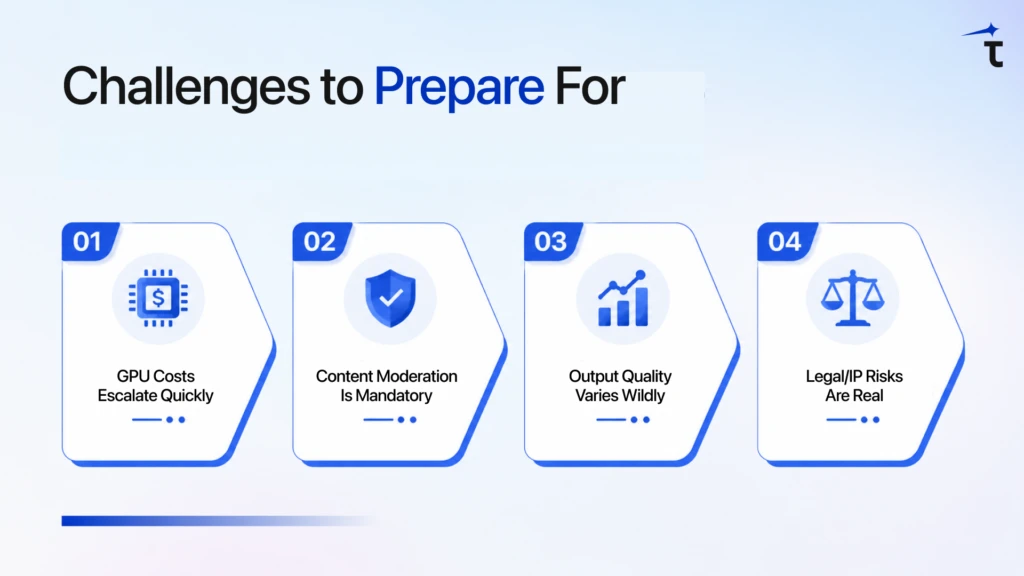
- GPU Costs Escalate Quickly
AI inference burns through GPU budgets fast without controls. Track cost-per-video as a core metric across engineering. Caching, batching, and auto-scaling can cut costs by 50-70% if built from day one.
- Content Moderation Is Mandatory
AI can generate harmful content you’d never ship. Pre-generation safety filters beat post-moderation cleanup. Underinvest here, and one viral incident kills trust (and invites lawsuits).
- Output Quality Varies Wildly
Identical prompts can produce wildly different videos. Automated quality scoring + retry logic catches bad outputs before users see them. Inconsistent quality destroys retention faster than any bug.
- Legal/IP Risks Are Real
Who owns AI-generated videos? Where did training data come from? The copyright landscape is unsettled. Nail down clear terms of service covering ownership and commercial use before launch.
AI Video Generator Comparison: Pick the Right One Fast
Compare pricing, strengths, and ideal use cases side-by-side. Find your best fit in 30 seconds.
| Platform | Pricing | Key Strength | Best For |
| Pika | $8/mo + free tier | Pikaframes (image-to-motion) | Social creators, stylization |
| Kling AI | 66 daily free credits | 1080p/2min + character consistency | Narrative, recurring characters |
| Luma Dream Machine | $9.99/mo, 8 free drafts | Fast HDR cinematic | Agencies, quick iteration |
| OpenAI Sora 2 | $20-200/mo (ChatGPT) | Photorealism/physics | Premium cinematic fidelity |
| Google Veo 3 | $0.40/sec API | Native synchronized audio | Developers, production pipelines |
| Synthesia | Enterprise | AI avatars, no filming | Corporate training videos |
Final Thought
Creating an AI-powered video editing app like Runway ML is not only feasible, but the journey is just as critical as the outcome.
The market is rapidly expanding, the technology is available, and the demand is well established. Some things make the difference between a successful team and an unsuccessful team, and that’s clarity of focus, not budget or technical sophistication. Whom are you developing for? What is the one specific problem your product solves that it would be difficult to find another product that does better? And will you be willing to begin small and make great dreams come true from a solid foundation?
The first thing that came to mind when I thought about Runway was rotoscoping, which is a technique used by filmmakers. This focus is what allowed them to find product-market fit and grow to become the business they are today.
FAQs
Your choice depends on your funding and time-to-market goals. While building from scratch offers a unique competitive advantage, most startups succeed by customizing existing open-source models like Wan 2.2 or using APIs to accelerate their launch.
GPU costs can quickly spiral. To maintain profitability, track your cost-per-generation as a primary business metric and share these figures with your engineering team. If you need help with resource optimization, our cloud and DevOps consulting can help you build a cost-effective infrastructure.
Because AI video generation is resource-intensive and often takes minutes to complete, a job queue acts as a ticket system. It prevents server crashes under high demand by managing requests in order and keeping the user updated with progress bars while they wait.
We help you move from concept to execution by providing specialized AI development services. We guide you through selecting the right technology stack, architecting for cost-efficiency, and implementing the core features that turn an AI concept into a production-ready application.
A robust backend built with Python or Node.js is essential for coordinating billing, user requests, and model routing. Partnering with an experienced custom software development services provider can ensure your system is built to handle heavy traffic without performance bottlenecks.